
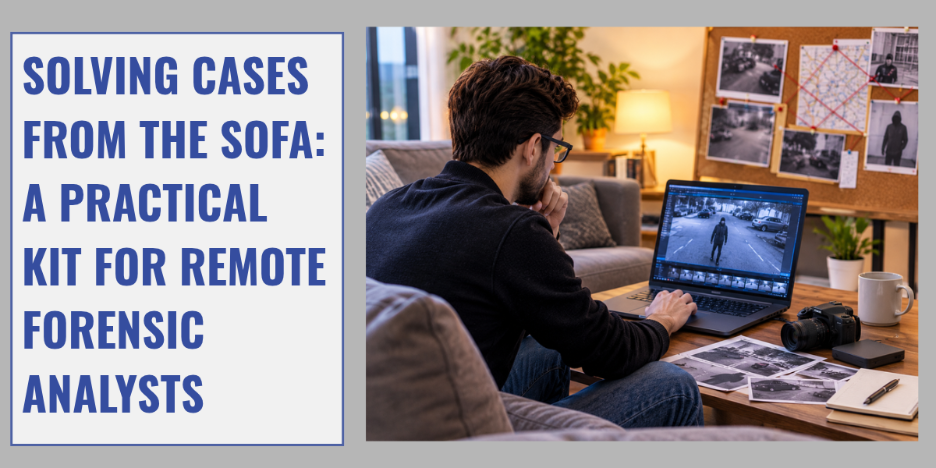
Picture a Tuesday evening. A laptop sits on a cushion, a mug has gone cold, and on the screen is grainy car park footage that somebody needs reviewed by morning. Not long ago, that would have meant driving back to the lab. These days a remote forensic analyst can handle a good share of that work from a spare room, as long as the careful video analysis and the setup behind it are done properly.
And “properly” is where it gets interesting. Evidence doesn’t care that you’re comfortable, and it still has to be handled in a way you can explain to a supervisor, a solicitor or a judge. Real digital forensics investigation at home depends on choosing the right digital forensics tool, keeping tidy records and knowing which jobs simply don’t belong outside the lab. This guide covers the kit, the habits and the limits.
What a Remote Forensic Analyst Really Does All Day
The job is less cinematic than people assume. Most hours go on reviewing recordings, comparing images, taking measurements, making notes and writing reports that somebody else will read very closely. That’s mostly screen work, which is exactly why remote working is realistic for so many specialists.
What changes at home is who carries the responsibility. In a lab, the building handles access control, backups and monitored storage. At home, you’re the building. You decide where files live, who can see your screen, and what happens if a bag gets stolen from a car. Good analysts think about that before they open the first file, not after something goes wrong.
It also helps to sort tasks into those that travel well and those that don’t. Reviewing footage, clarifying images, pulling measurements from existing material and drafting reports all work remotely. Handling original devices, sealing exhibits and anything that needs a controlled room usually doesn’t. Knowing where that line sits stops you promising something your setup can’t deliver.
The Hardware Behind Work From Home Investigation Tools
People love to spend their budget on software and forget the machine underneath it. Forensic processing is hungry. Long video files, big image sets and heavy filtering will make a modest laptop struggle, and a slow workstation does more than waste time. It nudges people toward shortcuts.
A sensible home setup starts with proper computing systems rather than whatever general-purpose machine happens to be lying around. Plenty of memory, fast internal storage, a capable graphics card and a colour-accurate monitor matter more than most extras. A second screen earns its keep quickly, because comparing two versions of a clip side by side is a daily habit. Add an encrypted external drive for working copies and a separate, tested backup, and the basics are covered.
Capture is the other half of the story. If your cases begin with recordings pulled from systems in the field, it’s worth understanding how a data acquisition system fits into the chain before the material ever reaches you. When you compare tools for your own bench, ask a plain question: does it log what I do, and could another examiner repeat my steps? A vague answer is an answer.
Software That Does the Heavy Lifting
Hardware gets the work started, but analysis happens in software, and the most useful programs are the ones built around forensic process instead of general editing. That means documented steps, repeatable settings and outputs that survive the question, “How did you get this result?”
Video is where most remote casework lives. Surveillance footage tends to be compressed, shaky, dark or low in resolution, so the first job is often basic video processing that makes it watchable without changing what it shows. From there, video enhancer software can bring out detail, and a video resolution enhancer can improve how small or blurred areas read on screen. Be careful how you describe the result, though. Enhancement should help someone see what’s already in the recording, never invent detail, and your report needs to say exactly what was done. Check frame rates, timestamps and playback behaviour as well, and you’ve got a method instead of a hunch.
Still images need their own care. If the question is whether a photo has been altered, or what it genuinely shows, you’ll want image analysis software designed for that purpose. The same goes for any digital image processing step you rely on, because a filter you can’t explain is a filter that can be challenged. Try your workflow on a known file first so you understand what each adjustment does before it goes near a live case.
Measuring the Scene Without Standing in It
One of the nicer surprises of remote work is how much you can learn about a place you’ve never visited. If a crime scene investigator has captured photographs or footage on site, an analyst can often extract measurements later: a height, a distance, the size of an object, the gap between two points.
This is where photogrammetry software comes in. It rebuilds dimensions from imagery, and the quality of the answer depends heavily on the quality of the inputs. Working from several viewpoints, for example through multi view calibration, usually gives steadier results than relying on a single frame.
Cameras also fib a little. Wide-angle lenses bend straight lines, and that distortion quietly throws measurements off if nobody corrects it. Understanding lens correction and basic camera calibration is less of a niche skill than it sounds. Skip it, and your numbers carry an error you may never spot, which is an uncomfortable thing to discover under cross-examination.
Keeping Evidence Defensible From Home
The technical kit is the easy part. Discipline is harder. Working remotely makes it tempting to be casual: a file renamed in a hurry, a copy left on the desktop, a note scribbled and lost. Each one is a small gap, and small gaps grow.
Start with the original. Keep the master file untouched, record its hash when it arrives, and do all your work on copies. Write down every step as you go, including software version and settings, because memory is a poor witness three months later. Keep a simple log of who has had access to your workspace, and lock your screen whenever you step away, even if you live alone.
Storage deserves honest thought too. Some agencies don’t allow certain evidence to leave controlled systems at all, and that’s a rule to respect, not work around. If you’re unsure what your employer or client permits, ask before you set anything up. A hosted environment can solve some of these problems, and if that’s the route you’re weighing, this guide to a cloud platform for forensic analysis explains what to check before committing.
Building Skills Without a Classroom
Working remotely doesn’t mean learning alone. Tools change, courts shift their expectations, and techniques that were acceptable a few years ago can be questioned today, so regular practice matters.
Structured video training software lets you learn at your own pace and revisit tricky techniques, which suits anyone fitting study around a working day. Newer analysts may also want a recognised forensic investigator course, since it builds a foundation in evidence handling and reporting that tutorials rarely match. Whichever route you pick, practise on non-sensitive material, compare your results with a colleague’s, and jot down what you’d do differently next time.
Final Thoughts
Remote forensic work is practical, but only when the setup is treated as seriously as the casework. Solid hardware, tools built around forensic process, careful measurement habits and disciplined record-keeping matter more than where the desk happens to be. The sofa is fine for reading the report. For the analysis itself, build a workspace you’d be comfortable describing to a judge.
Setting up a home workflow for forensic video and image work? Explore Daetech Systems’ solutions or talk to the team about the right tools and training for a remote forensic analyst.
FAQ
- Do I need a full home lab to work as a remote forensic analyst?
Usually not. A powerful workstation, secure storage, a reliable backup and the right software cover most screen-based work. What you can’t recreate at home is physical device handling, so leave that with your lab or employer.
- Is it safe to keep case files on a personal computer?
Only if your employer or client allows it and the machine is properly secured. Use a dedicated, encrypted device for casework where you can, and keep it separate from personal use.
- How do I know my results will hold up if challenged?
Document everything, leave originals untouched, and make sure another examiner could follow your steps and land in the same place. Repeatability counts for more than anything else.
- Can I do measurement work from footage someone else collected?
Often, yes, but it depends on how the material was captured. Awkward angles or uncorrected lens distortion limit what you can trust, so say so plainly in your report.