
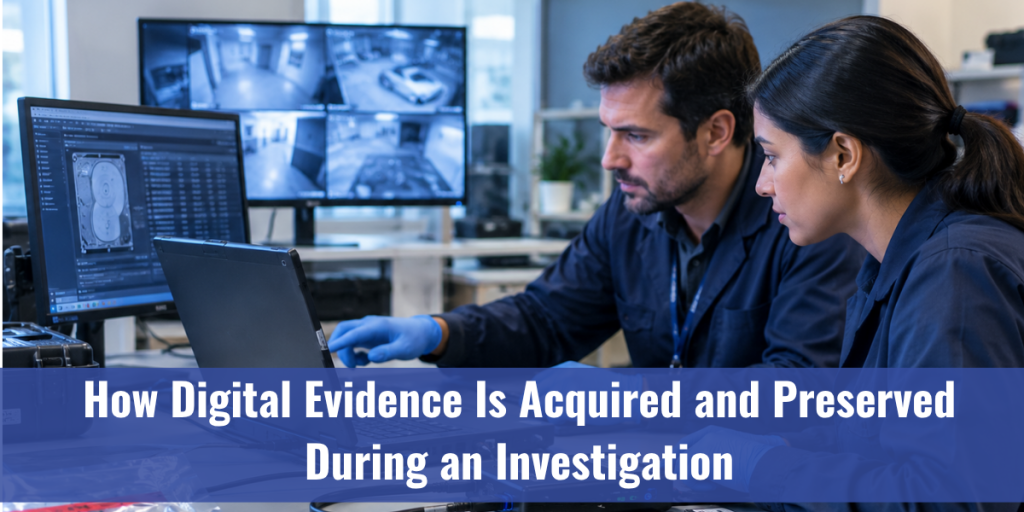
Picture a CCTV recorder bolted to a back-office wall. Someone unplugs it, drops it in a bag, and hooks it up to an ordinary laptop to “just see what’s on it.”
That one shortcut can sink a case.
Digital evidence doesn’t forgive casual handling. Switch a device on and you’ve changed it. Open a file and its access time moves. Months later, a defense lawyer asks how anyone knows the data matches what was found that day, and “we’re fairly sure” won’t cut it.
Digital evidence acquisition is the discipline that gives you a better answer. This guide walks through it in the order it actually happens, then covers where it usually goes wrong. If your work touches digital forensic investigation, consider it the groundwork everything else sits on.
What Counts as Digital Evidence?
Anything stored or sent in digital form that helps prove a fact. That covers more than most people expect:
- Documents, emails, and chat messages
- Phone data: call logs, location history, app activity
- CCTV, dashcam, and body-camera video
- Photos, along with the metadata hidden inside them
- Server logs, browser history, and cloud accounts
- Data from cars, drones, and other connected gadgets
Two quirks make this evidence different from a fingerprint or a weapon. It’s easy to alter without leaving an obvious mark. And it can be copied perfectly. Good acquisition practice uses the second quirk to guard against the first.
Digital Evidence Acquisition, Step by Step
Procedures vary by agency and by country. The shape stays surprisingly steady, though. Standards like ISO/IEC 27037 describe the same arc: identify, collect, acquire, preserve.
Secure the scene and confirm you’re allowed to be there
Before anyone touches a device, settle two questions. Who has the legal right to take it? And who can currently reach it? A warrant, consent, or some other lawful basis comes first. Without it, flawless technical work can still be excluded.
Then, control the room. Keep people away from the equipment, note what’s powered on, and write down what’s on the screens.
Document before you touch
Photograph everything where it sits. Record the make, model, serial numbers, attached cables, and any visible damage. If a message or an open program is showing, capture it.
This log is the first link in your chain of custody: the written trail of who held the evidence, when, and why.
Decide what to do with a running device
This is the hard one. Some data lives only in memory (RAM) and vanishes the moment power drops: open sessions, encryption keys, running processes. Investigators call this the order of volatility. The most fragile material gets captured first.
Essentially, you’re choosing between two risks. Pull the plug and you protect the disk but may lose live data. Leave it running and you keep that data but risk remote wiping or background changes. No single answer fits every case. Someone trained should make the call and write down why.
Image the drive. Don’t just copy it.
Dragging files onto a USB stick is not an acquisition. A forensic image is a bit-for-bit duplicate of the storage medium; deleted files and hidden areas included.
To keep the original untouched, examiners use a write blocker, a tool that lets a computer read a drive but never write it. After that, nearly all analysis happens on the image.
The capture itself is where a purpose-built data acquisition system earns its keep. It cuts down the manual handling where mistakes creep in, which matters most when the material feeds intelligence gathering as well as a courtroom.
Prove the copy with hashes
A hash is a digital fingerprint. An algorithm turns your data into a fixed string of characters, and changing even one bit changes the whole string.
Hash the original, hash the image, compare. Matching values mean the copy is identical. Record them, and you can re-check at any point to show nothing has shifted since. Where possible, favor SHA-256 over older options like MD5.
Seal, label, and log every handover
Originals go into proper packaging. Phones often need a Faraday bag so they can’t receive a remote wipe command or sync new data. Everything gets labeled, and every handover gets a signature and a timestamp.
Boring? Yes. Also the part opposing counsel will read most closely.
Not Every Source Behaves Like a Laptop
The steps above suit a computer on a desk. Real casework is messier.
- Phones. Locked, encrypted, and always connected. Examiners pick between a logical extraction (what the operating system hands over), a file system extraction, or a physical extraction, depending on the device and the tools available.
- Cloud accounts. There’s nothing to seize. Acquisition runs through legal requests to providers or authorized account access, and the data may sit in several jurisdictions at once.
- Video and images. CCTV is a common source and a common headache. Recorders use proprietary formats, and exporting a clip through a standard player can strip metadata or lower quality. Take the original recording in its native format, with the system’s own details intact. Software for video processing and photogrammetry comes in after that, working on a copy rather than the original.
- Live and targeted collection. Sometimes a full image isn’t practical. A server can’t go offline, or time is short. Collecting selectively is acceptable when you document what you took and why.
What Happens After Acquisition
Securing the evidence is only half the job. Footage is often too dark, too small, or too compressed to read, and that’s where video analysis takes over. Tools such as a video enhancer or a resolution enhancer can bring out detail, but the rule never changes: enhance a duplicate, keep the original sealed, and log every adjustment so another examiner can repeat your steps.
If the question is whether a photo or clip has been edited at all, that’s a different task. Image authentication and careful digital image processing help answer it, and the answer holds up far better when the acquisition was clean to begin with.
When measurements matter, such as distances, heights, or positions pulled from images,photogrammetry enters the picture. Heavy image work also needs a capable forensic computer, so it’s worth planning the workstation alongside the workflow.
A Practical Example of the Difference Calibration Makes
Picture a hit-and-run scene: skid marks across two lanes, a damaged guardrail, and debris scattered across an intersection. A single-angle measurement approach might capture the skid marks accurately but lose precision on the debris field near the edge of the photographed area, since it’s farther from the primary reference point.
With multi view calibration for forensic technology, the same scene is captured from several positions around the intersection. The software cross-references all of them, so the debris field, the skid marks, and the guardrail damage are measured with consistent accuracy — not just the section closest to where the first photo was taken.
That consistency is often the difference between a reconstruction that supports a case and one that invites doubt.
Keeping Digital Evidence Preserved
Photogrammetry software has moved from a specia
Acquisition is a moment. Preservation is everything after it.
- Work on copies. Lock the original image away. Analyze duplicates and verify them against the hash.
- Limit access. Fewer hands, fewer questions. Log every access anyway.
- Store it properly. Heat, humidity, magnets, and aging drives are real threats. Long-held evidence needs periodic integrity checks.
- Never break the chain of custody. Even a short gap hands the other side an opening.
- Write down your methods. A second qualified examiner should be able to repeat your process and land on the same result. That’s the real test of reliable forensic work.
Common Mistakes That Damage Digital Evidence
Most failures are small and avoidable:
- Poking around the device. Opening files for a quick look changes timestamps and can overwrite data.
- Powering on or off without a plan. Either choice can destroy something.
- Copy files instead of imaging. Deleted data and metadata get left behind.
- Skipping hash verification. Without it, integrity is just a claim.
- Thin notes. If a step wasn’t recorded, a court may treat it as if it never happened.
- Untrained hands. Good intentions don’t replace the procedure.
Why Training Matters as Much as Tools
Software can reduce human error. It can’t explain itself on the witness stand. Investigators need to understand why each step exists, because someone will ask.
That’s what structured digital forensic training is for, whether you’re building a new team or sharpening an old one. A solid forensic investigator course pairs hands-on practice with the reasoning behind it, and the same goes for video training software when your cases lean on footage. For the wider picture of forensic technology that supports an investigation from acquisition to reporting, the solutions page is a good place to start.
The Takeaway
Digital evidence is only as strong as the process behind it. Secure the right to collect it. Document the scene. Capture the fragile data first. Image, don’t copy. Prove the copy with hashes. Keep the chain of custody unbroken.
Here’s one habit worth stealing: assume someone will challenge every step, then record your work so you can answer. Your next move is simple. Compare your current acquisition procedure with the six steps above and mark where the gaps are.
FAQ
- What is digital evidence acquisition?
It’s collecting data from devices or accounts in a way that keeps it intact, so it can be examined and trusted as evidence. - Why can’t investigators just copy files from a device?
A plain copy misses deleted files, hidden data, and metadata, and it can change timestamps on the original. A forensic image captures everything and leaves the source alone. - Does enhancing video change the original evidence?
Not if it’s done right. Enhancement happens on a working copy while the original stays sealed, and each adjustment is logged so the work can be repeated. - What does a hash value prove?
That two sets of data are identical. If the image hash matches the original, the copy is exact. A later mismatch signals a change.
Building or upgrading your digital forensics workflow? Browse Daetech Systems’ forensic solutions or look at training options for your team. Questions about acquisition or analysis? Get in touch and we’ll point youthe right way.